How Git Stash Saved My Workflow: Moving Uncommitted Changes

I recently started a new internship and jumped right into setting up the project. After cloning the Next.js repository and installing some packages, I needed to follow our team's organized workflow by switching to a feature branch before committing my changes.
I had uncommitted changes (specifically to my package-lock.json) from the initial setup, and I needed to switch to a development branch to start my actual work while preserving these changes.
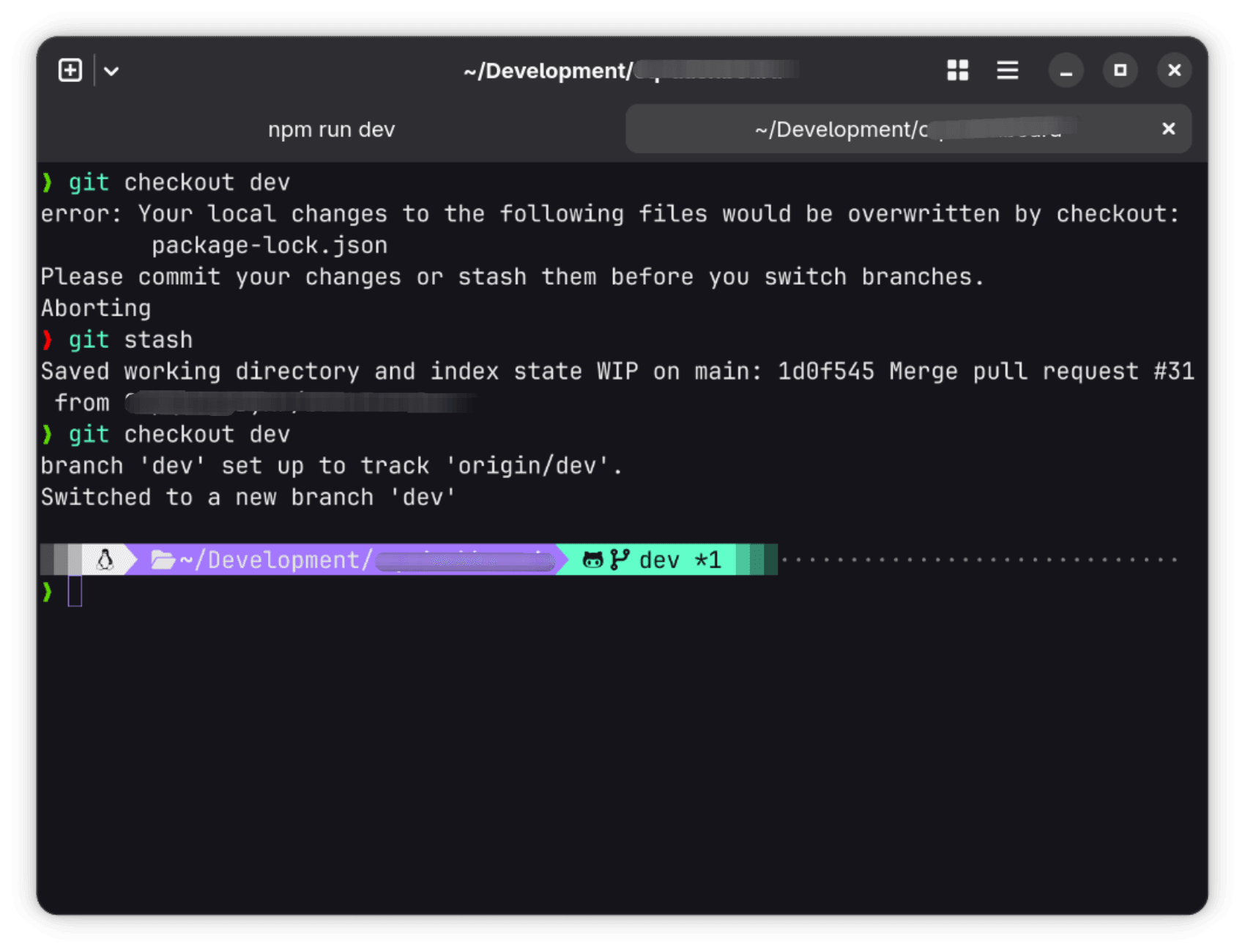
When I tried to switch with git checkout dev, Git blocked me to prevent overwriting my local changes. You can see the error in the terminal screenshot below:
The Solution: git stash
I didn't want to lose my changes, but I couldn't commit them yet. I discovered the perfect command for this situation: git stash.
git stash takes your uncommitted changes and temporarily shelves (or "stashes") them, giving you a clean working directory.
Here are the commands I used to fix my workflow, as shown in the image:
1. Stash the uncommitted changes
This command saved my work and cleaned the directory.
git stash2. Switch to the correct branch
With a clean slate, I was free to switch to the dev branch without any errors.
git checkout dev3. Retrieve the changes later
After I was done working on the other branch, I switched back to main and used stash pop to bring my saved changes back into my working directory.
# Switch back to the original branch
git checkout main

# Apply the stashed changes and remove them from the stash list
git stash pop
Conclusion
Learning git stash was a great "aha!" moment. It's a simple but powerful command that allows you to pause what you're doing and context-switch without creating messy, half-finished commits. It's now a key part of my daily development workflow.

About the Author
Hi, I'm Zakaria Elkhadir, a passionate full-stack developer specializing in modern web technologies. I love sharing my experiences and insights about web development, programming best practices, and the tools that make our lives easier as developers.